How To Avoid Solar & Battery Supplying EV Charger
A technical tutorial explaining how to configure your Zappi EV charger and Fox Cube battery system so that your battery does not discharge into your car. Essential viewing for anyone with both solar battery storage and an EV charger.
Full Installation Walkthrough
This technical tutorial addresses one of the most common questions we receive from customers who have both a home battery storage system and an EV charger: how do you prevent your solar battery from discharging its stored energy into your electric vehicle? This is a crucial configuration issue that, if not properly addressed, can significantly undermine the financial benefits of having battery storage in the first place.
The problem is straightforward to understand. Your home battery charges during the day using surplus solar energy or cheap overnight grid electricity. The purpose of this stored energy is to power your home during the expensive peak rate evening hours, reducing your grid import when electricity is most costly. However, when you plug in your electric vehicle and it begins drawing seven kilowatts or more from your household supply, the battery management system sees this as a large household load and begins discharging the battery at its maximum rate to supply the EV charger, believing it is helping by reducing your grid import.
The result is that your battery, which should be powering your home through the evening and night, is instead being drained rapidly into your car. A typical home battery of ten kilowatt-hours would be emptied in roughly one to one and a half hours of EV charging, leaving nothing for the rest of the evening. You then import all your evening electricity from the grid at full price, and the financial model of your battery storage system falls apart.
This tutorial focuses specifically on the Zappi and Fox Cube combination, which is one of the most common pairings we install, but the principles apply to any battery and EV charger combination. The solution involves using CT clamp positioning and inverter settings to ensure the battery management system either cannot see the EV charger load or is instructed to ignore it.
The first method involves the physical positioning of the CT clamp that the Fox inverter uses to monitor household energy flow. In a standard installation, the CT clamp is placed on the main supply cable between the meter and the consumer unit, where it can see all loads in the house including the EV charger. By repositioning the CT clamp to monitor only the household circuits and not the EV charger circuit, the Fox system becomes unaware of the EV charger load and therefore does not attempt to supply it from the battery.
This CT clamp repositioning requires careful planning because the monitoring data in the Fox Cloud app will change. The system will no longer show the EV charging as part of the household consumption, which means the total consumption figures in the app will be lower than the actual household usage. However, the battery will correctly prioritise household supply over EV charging, which is the desired behaviour for maximising financial savings.
The second method uses the Zappi's own CT clamp and communication with the Fox system. The MyEnergi Zappi has a CT clamp that monitors grid import and export, and it uses this data to determine how much surplus solar energy is available for vehicle charging. By configuring the Zappi in ECO+ mode, it will only charge the vehicle using genuine surplus solar energy that would otherwise be exported to the grid. The battery does not need to discharge because the Zappi is only using energy that the battery has already declined to absorb because it is full.
The third approach is a firmware-level solution within the Fox inverter settings. Recent firmware updates have introduced load management features that allow the installer to define certain loads as excluded from the battery discharge algorithm. By entering the CT clamp data for the EV charger circuit into the Fox settings, the inverter can be instructed to ignore this load when making discharge decisions, effectively ring-fencing the battery capacity for household use only.
We recommend a combination of these approaches for the most robust solution. The Zappi should always be configured in ECO+ or ECO mode to prioritise solar surplus for vehicle charging. The Fox inverter settings should be configured to exclude the EV charger from the discharge algorithm where the firmware supports this. And the CT clamp positioning should be reviewed to ensure the monitoring data supports the intended system behaviour.
This tutorial has been one of our most popular videos because it addresses a real-world issue that affects thousands of households across the UK. The rapid growth of both solar battery storage and electric vehicle ownership means that more and more homes are running both systems simultaneously, and the interaction between them needs to be carefully managed to ensure both deliver their intended financial benefits.
If you already have solar battery storage and an EV charger installed and you suspect that your battery is discharging into your car, contact ALPS Electrical for a system review. We can assess your current configuration, identify any suboptimal settings and reconfigure your system to ensure maximum efficiency. This is a service we are happy to provide for any installation, not just systems we originally installed.
Project Specifications
| Category | Tutorial |
| Location | N/A |
| Specs | Zappi + Fox Cube CT clamp config |
| Duration | 7:15 |
Equipment Used
MyEnergi Zappi
CT Clamp Configuration
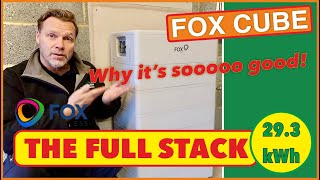
Fox Cube
Battery Discharge Settings
Video Chapters
Want a Similar System?
Get a free, no-obligation quote for a bespoke installation tailored to your property.
Get a Free QuoteOr call 01642 790 489




Interested in This Type of Installation?
Fill in the form and our team will get back to you within 24 hours with a free, no-obligation quote tailored to your property and energy needs.